
When working with financial reports, sales analysis, or project planning, understanding quarters is critical. Businesses often operate on a quarterly basis—Q1 to Q4—and tracking data by quarter provides better insights and trend visibility.
In Excel, you can easily extract the quarter from any date using formulas. This article explains quarters, how to find the quarter from a date in Excel, and gives examples. It also discusses the benefits of quarter-based reporting. The content is structured for accuracy, usability, and compliance.
What is a Quarter?
A quarter in business or finance refers to one-fourth of a calendar year. Each quarter spans three months, and the year is divided as follows:
- Q1: January to March
- Q2: April to June
- Q3: July to September
- Q4: October to December
Quarter-based reporting is widely used in:
- Financial statements
- Sales forecasting
- Budgeting and expense tracking
- KPI dashboards
Extracting quarters from dates in Excel helps organize time-series data effectively.
How to Get Quarter from Date in Excel?
You can get the quarter from a date in Excel in different ways. Choose numeric quarters (1 to 4) or labelled ones (like Q1, Q2). Below are simple and advanced methods:
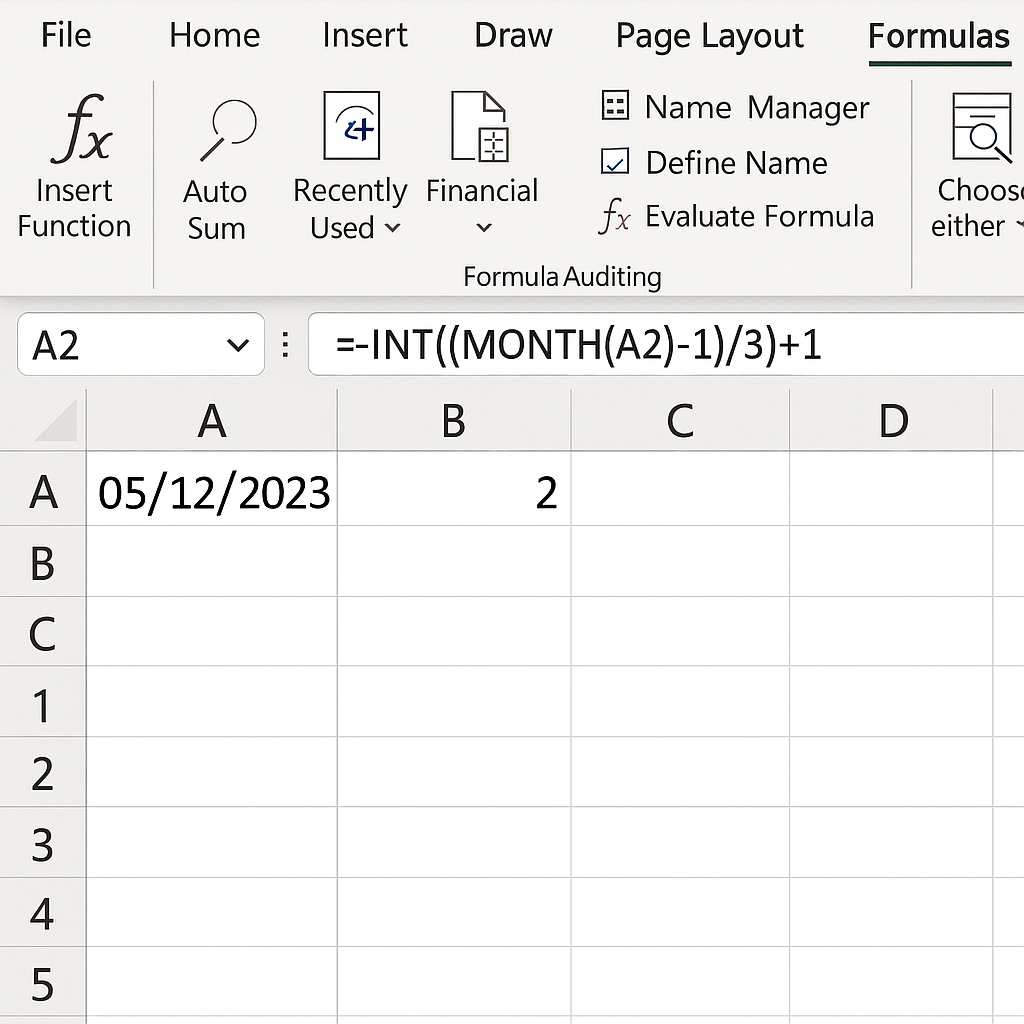
Method 1: Basic Formula to Get Numeric Quarter (1–4)
=INT((MONTH(A2)-1)/3)+1
Explanation:
- MONTH(A2) extracts the month number from the date.
- -1 and /3 converts the month into zero-based quarter.
- +1 adjusts it to quarter format (Q1 to Q4).
Use this method when you just need the quarter number (e.g., 1, 2, 3, 4).
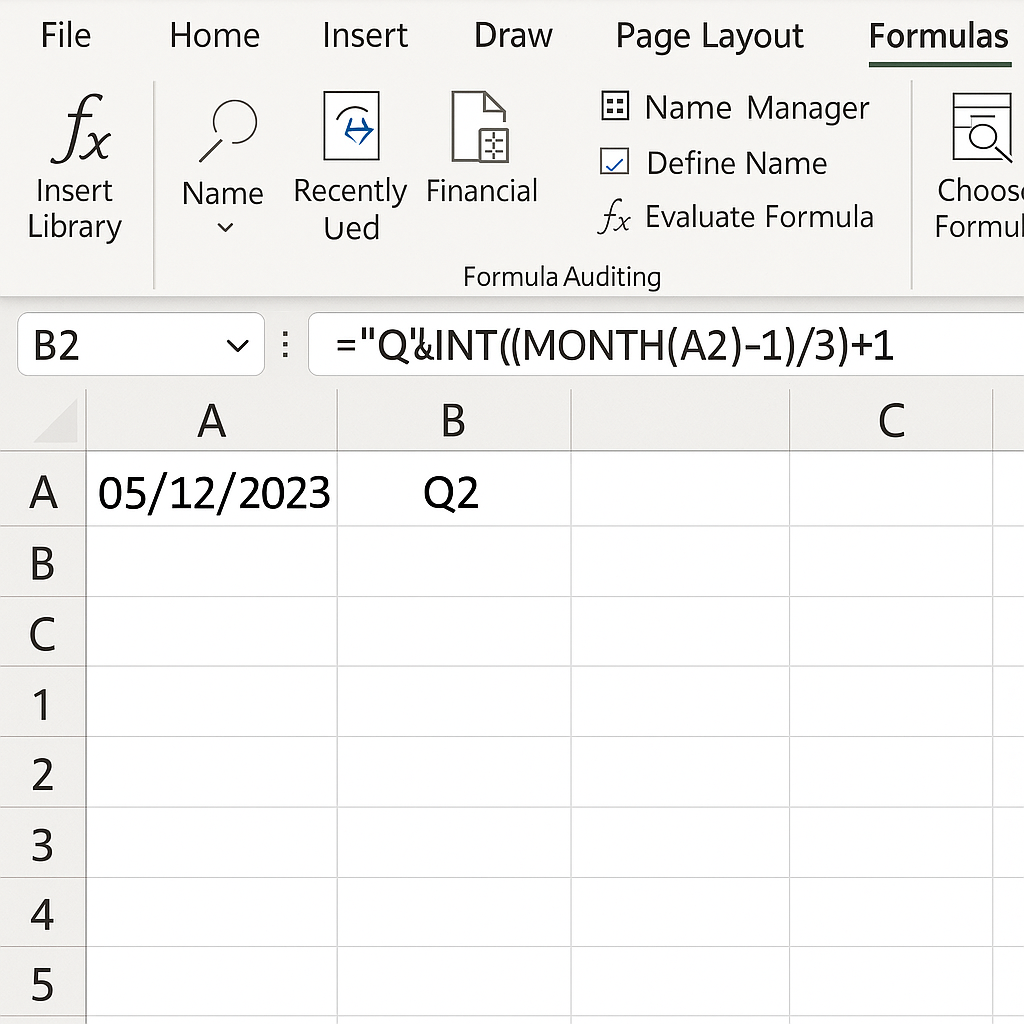
Method 2: Get Labelled Quarter (e.g., Q1, Q2)
=”Q”&INT((MONTH(A2)-1)/3)+1
This returns:
- Q1 for Jan–Mar
- Q2 for Apr–Jun
- Q3 for Jul–Sep
- Q4 for Oct–Dec
Ideal for dashboards, charts, or pivot tables with quarter names.
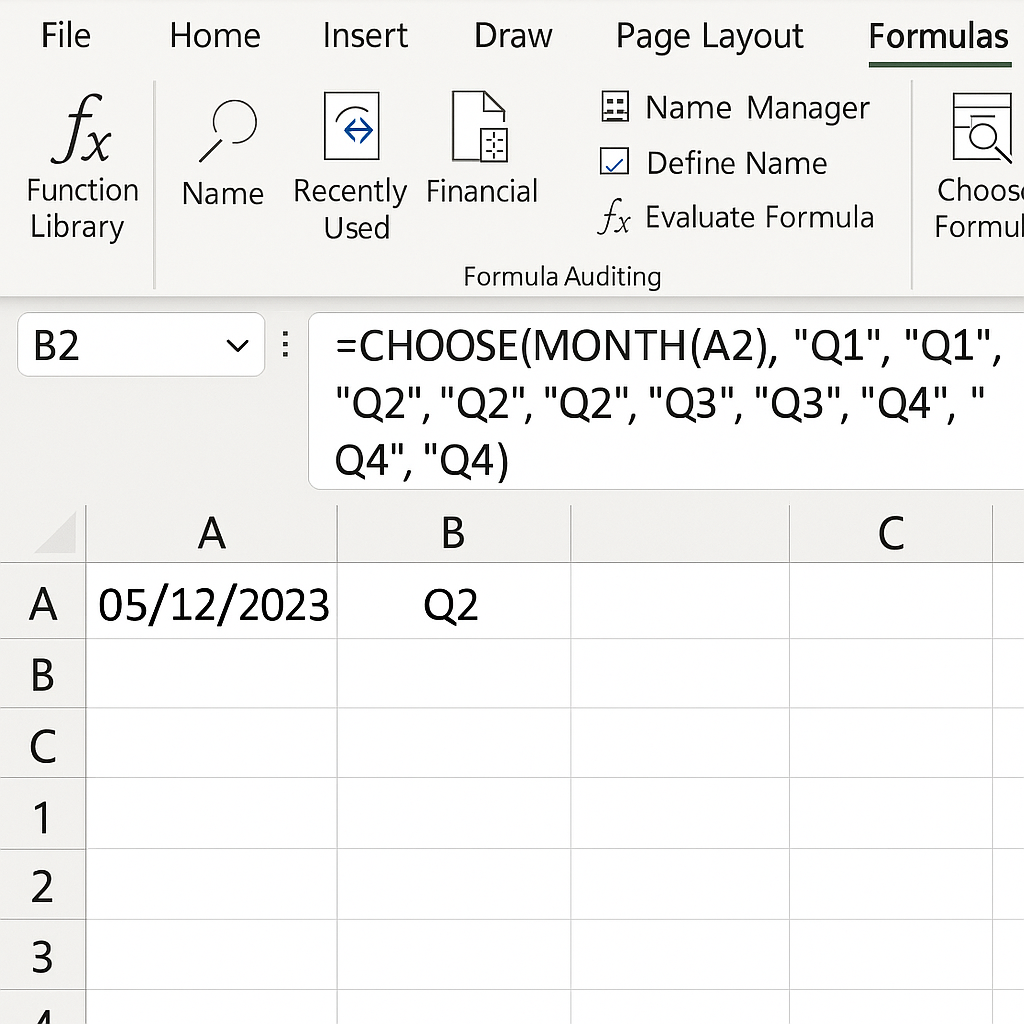
Method 3: Using CHOOSE Function for Custom Output
=CHOOSE(MONTH(A2), “Q1”, “Q1”, “Q1”, “Q2”, “Q2”, “Q2”, “Q3”, “Q3”, “Q3”, “Q4”, “Q4”, “Q4”)
This is useful when:
- You want to manually define quarters
- Your fiscal year starts on a different month
Highly customizable for non-standard fiscal quarters.
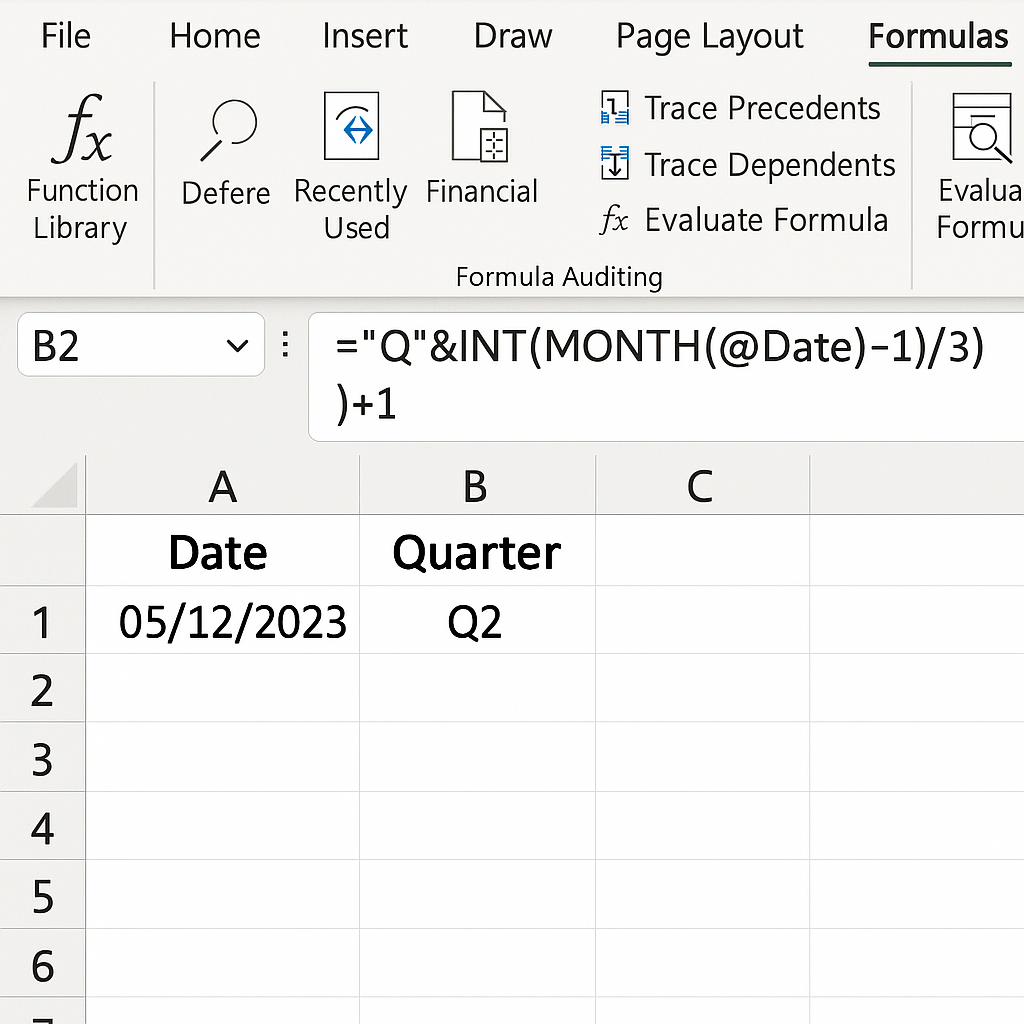
Method 4: Create a Helper Column for Dynamic Reporting
If you’re building a dashboard or large data table:
- Add a “Date” column
- Add a “Quarter” column with this formula:
=”Q”&INT((MONTH([@Date])-1)/3)+1
This allows seamless integration with pivot tables or slicers.
Examples of Getting Quarters from Dates
Example 1: Quarterly Sales Report
| Date | Sales | Quarter |
| 01/15/2025 | 1000 | Q1 |
| 04/05/2025 | 1200 | Q2 |
| 07/20/2025 | 1500 | Q3 |
| 10/10/2025 | 1800 | Q4 |
Formula Used:
=”Q”&INT((MONTH(A2)-1)/3)+1
Example 2: Fiscal Year Starting in April
=CHOOSE(MONTH(A2), “Q4”, “Q4”, “Q4”, “Q1”, “Q1”, “Q1”, “Q2”, “Q2”, “Q2”, “Q3”, “Q3”, “Q3”)
This treats April as the start of Q1, common in businesses with non-calendar fiscal years.
Benefits of Extracting Quarters from Dates in Excel
Improved Financial Analysis
Organizing data by quarter allows businesses to:
- Track revenue growth patterns
- Measure quarterly KPIs
- Align with tax and fiscal reporting cycles
Excel makes quarterly segmentation fast and formula-driven.
Better Data Visualization
Quarters offer a higher-level summary compared to monthly data. By labeling data with Q1, Q2, etc., you can:
- Create grouped bar or line charts
- Build quarterly heatmaps
- Generate compact dashboard views
This makes data presentation cleaner and more strategic.
Simplifies Time-Based Aggregation
Quarter labels enable:
- Easier use in PivotTables
- Grouping in Power Query or Power BI
- Segmenting sales, leads, or marketing performance
This reduces manual slicing and supports automated insights.
Supports Decision-Making Cycles
Most strategic reviews and investor reports occur quarterly. Converting dates into quarters allows:
- Consistent reporting structures
- Timely performance evaluations
- Benchmarking across similar periods
How to convert an ASCII Point file from one format to another using Civil 3D.
Frequently Asked Questions (FAQ’s)
Can Excel automatically calculate the quarter from a date?
No, Excel doesn’t have a built-in QUARTER() function. However, you can use simple formulas like =INT((MONTH(A2)-1)/3)+1 to calculate quarters.
How do I use quarters in a PivotTable?
Create a helper column with:
=”Q”&INT((MONTH(A2)-1)/3)+1
Drag that column into the PivotTable’s Row or Column area. This will create group-based summaries.
Can I get fiscal quarters starting from any month?
Yes. Use the CHOOSE() function to assign months to quarters based on your fiscal year start.
Does this work with Power Query or Power BI?
Yes. You can use Power Query’s Date.Month() and conditional column features to replicate quarter logic. Or, you can use M code to label quarters dynamically.
How do I show both year and quarter in one cell?
=YEAR(A2)&”-Q”&INT((MONTH(A2)-1)/3)+1
Result: 2025-Q1, 2025-Q2, etc.
Conclusion
Knowing how to find the quarter from a date in Excel is key for finance, data analysis, and reporting. Tracking KPIs, building dashboards, and running quarterly reports all benefit from this knowledge. It helps you organize data better and gain valuable insights. You can use simple formulas like INT((MONTH(A2)-1)/3)+1 or options like CHOOSE() for time-based analysis. This gives you complete control.